Prerequisites
Platform Setup
This tutorial assumes you have access to a Kubernetes cluster with Istio installed.
This tutorial is being updated and qualified using:
- a Kind (Kubernetes in Docker) cluster with Helm-based Kiali install.
- an OpenShift cluster with Kiali Operator install (qualification pending).
Tip
Platform-dependent tasks will be indicated with a special note like this.Set up a Kind Cluster
Kind runs a local Kubernetes cluster using Docker. Istio and this tutorial also require a way to assign external IPs to LoadBalancer services (for the Istio ingress gateway).
Prerequisites
Install the following tools:
The Istio install script in the next section downloads Istio (including istioctl) if it is not already present.
Create the cluster
The Kiali project provides a script that creates a Kind cluster with MetalLB configured for LoadBalancer services. If you have the Kiali source repository, run:
./hack/start-kind.sh --name travels-tutorial
This creates a two-node Kind cluster named travels-tutorial with a MetalLB load balancer. Verify the cluster context:
kubectl config use-context kind-travels-tutorial
kubectl cluster-info
Kind
If you prefer not to use the Kiali script, follow the Kind load balancer guide to enableLoadBalancer services before installing Istio.
Install Istio
Kind
The Kiali project provides a script that installs Istio with the demo profile and telemetry addons (Prometheus, Grafana, Jaeger). From the Kiali source repository, run:
./hack/istio/install-istio-via-istioctl.sh -c kubectl -cp demo
This downloads Istio (if needed), installs the control plane and ingress gateway, and deploys the addons used later in this tutorial.
Verify the installation:
kubectl get pods -n istio-system
kubectl get svc istio-ingressgateway -n istio-system
The istio-ingressgateway service should show an EXTERNAL-IP (MetalLB assigns this on Kind). Join the Mesh uses that address for ingress.
Kind
Ifistio-ingressgateway stays <pending>, confirm MetalLB is running: kubectl get pods -n metallb-system
${ISTIO_HOME}/samples/addons/.
OpenShift
Follow the Istio OpenShift platform setup to install Istio on your cluster.
Alternatively, from the Kiali source repository, the install script defaults to the openshift profile when using oc:
./hack/istio/install-istio-via-istioctl.sh -c oc
Verify the control plane is running:
oc get pods -n istio-system
Join the Mesh uses an OpenShift route to expose the ingress gateway.
Install Kiali
Remove any Kiali installed from the Istio addons bundle before proceeding (set ISTIO_HOME to your Istio install directory, or the path under kiali/_output/ if you used the hack script):
kubectl delete -f ${ISTIO_HOME}/samples/addons/kiali.yaml --ignore-not-found
This tutorial uses different install methods depending on the platform. On Kind, a standalone Helm install keeps setup minimal. On OpenShift, install via the Kiali Operator — the recommended production method.
Kind
Install the Kiali server using the Quick Start Helm instructions. The Istio install above deploys Jaeger, but Kiali does not enable tracing integration by default — enable it explicitly:
helm install \
  --namespace istio-system \
  --set auth.strategy="anonymous" \
  --set external_services.tracing.enabled=true \
  --set external_services.tracing.internal_url="http://tracing.istio-system:16685/jaeger" \
  --repo https://kiali.org/helm-charts \
  kiali-server \
  kiali-server
Wait for the Kiali deployment to become ready:
kubectl rollout status deployment/kiali -n istio-system --timeout=300s
kubectl get pods,svc -n istio-system -l app.kubernetes.io/name=kiali
Confirm tracing is configured (the enabled field should be true):
kubectl get configmap kiali -n istio-system -o jsonpath='{.data.config\.yaml}' | grep -A2 'tracing:'
kiali-server Helm chart is intended for demo and evaluation. For production clusters, use the Kiali Operator.
OpenShift
Install the Kiali Operator from OperatorHub in the OpenShift console, then create a Kiali CR in the istio-system namespace.
For a minimal tutorial setup with anonymous login, you can install the operator and CR in one step using Helm:
helm repo add kiali https://kiali.org/helm-charts
helm install \
  --set cr.create=true \
  --set cr.namespace=istio-system \
  --set cr.spec.auth.strategy="anonymous" \
  --set cr.spec.external_services.tracing.enabled=true \
  --set cr.spec.external_services.tracing.internal_url="http://tracing.istio-system:16685/jaeger" \
  --namespace kiali-operator \
  --create-namespace \
  kiali-operator \
  kiali/kiali-operator
Wait for the operator to reconcile the Kiali CR:
kubectl wait --for=condition=Successful kiali kiali -n istio-system --timeout=300s
kubectl get pods,svc -n istio-system -l app.kubernetes.io/name=kiali
See Creating and updating the Kiali CR for customization options. Production OpenShift deployments typically use the openshift auth strategy instead of anonymous.
Access the Kiali UI
Kind
Port-forward the Kiali service to your local machine:
kubectl port-forward svc/kiali 20001:20001 -n istio-system
Open http://localhost:20001/ in your browser.
The Kiali repo also provides a convenience script: ./hack/kiali-port-forward.sh
OpenShift
The Kiali operator creates an OpenShift route by default. Get the URL:
oc get route kiali -n istio-system
Open the route host in your browser (for example, https://<route-host>/).
See Accessing Kiali for more options.
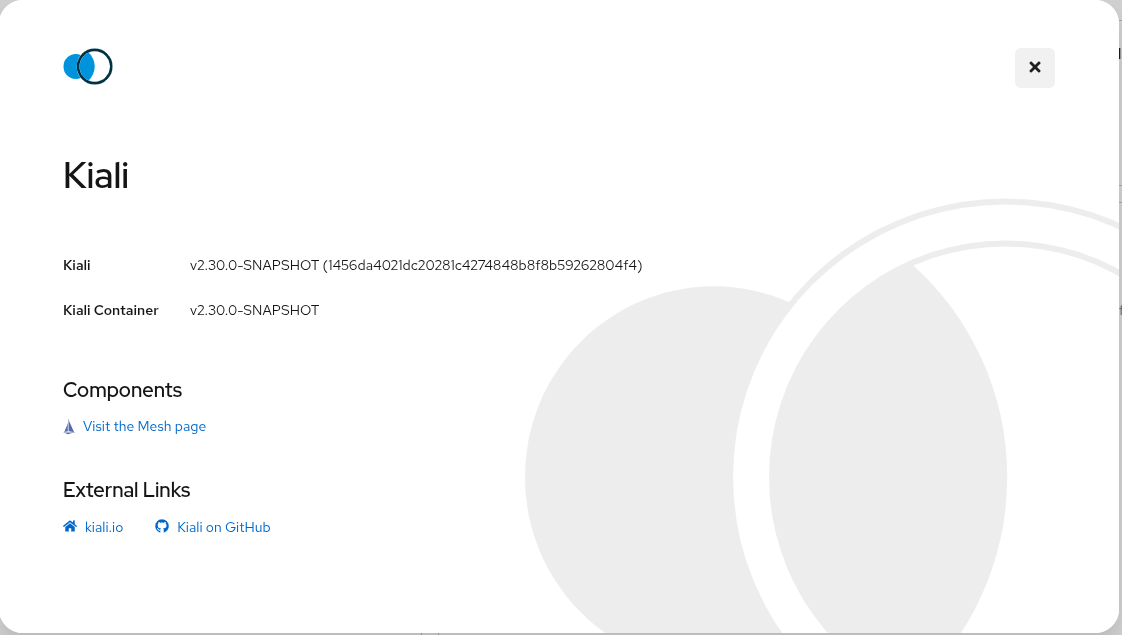
After the Prerequisites you should be able to access Kiali. Verify its version by clicking the “?” icon and selecting “About”: